Category: APK Basics and Guides
-

Why Apps Come as APK Files
APK (Android Package Kit) is the file format used to distribute and install apps on Android devices. It’s the equivalent of the .exe file in Windows or the .app file in macOS. When you download or install an app on your Android device, you’re essentially downloading an APK file that contains all the necessary files…
-

How to Convert Apps into APK Files
APK (Android Package Kit) files are the installation files for Android apps, much like .exe files for Windows or .dmg files for macOS. Converting apps into APK files can be useful for developers, advanced users, or anyone who needs to install apps without relying on the Google Play Store. Whether you’re looking to back up…
-

APK Signature Verification Explained
When you download and install an APK (Android Package Kit) on your Android device, you’re essentially adding an app to your system. However, unlike traditional software installations on other platforms, Android uses a security feature called APK signature verification to ensure that the APK file is legitimate and hasn’t been tampered with. This process plays…
-
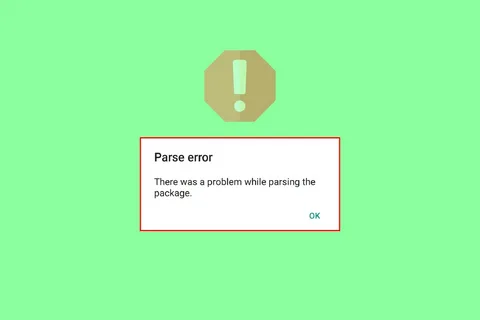
Troubleshooting “Parse Error” on APKs: Causes and Solutions
If you’ve ever tried to install an APK file on your Android device and encountered a “Parse Error,” you’re not alone. This error typically occurs when the Android system is unable to read or parse the APK file, preventing it from being installed properly. It can be frustrating, especially when you’re eager to install a…
-
How to Extract APK Files from Installed Apps: A Step-by-Step Guide
APK (Android Package Kit) files are the format used to install apps on Android devices. Extracting APK files from already installed apps can be useful in various scenarios, such as backing up an app, transferring it to another device, or installing the app on a device that doesn’t have access to the Google Play Store.…
-
Downloading APKs Without Google Services: A Complete Guide
Android’s flexibility and open-source nature allow users to install apps from various sources, bypassing the need for Google’s services. While Google Play is the most popular and trusted source for downloading Android apps, it’s not the only option. There are times when users may prefer or need to download APK files without relying on Google…
-

Installing APK Bundles (Split APKs) on Android: A Complete Guide
With the growing diversity of Android devices, developers have increasingly turned to APK bundles (also known as split APKs) to ensure that their apps can efficiently cater to a wide range of device specifications. These bundles provide a more efficient way of packaging and distributing Android apps, especially for those with different screen sizes, architectures,…
-
APK Installation on Android TV: A Complete Guide
Android TV offers a unique way to experience apps and entertainment on the big screen. However, unlike smartphones or tablets, Android TV doesn’t provide the same flexibility when it comes to installing third-party apps. While most Android TV users rely on apps available through the Google Play Store, sometimes you may want to install apps…
-
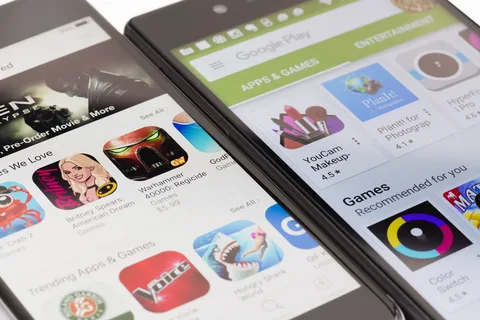
APKs for Non-Google Play Apps: A Guide to Sideloading and Managing Android Apps Outside the Play Store
Android’s flexibility as an operating system allows users to install apps from various sources beyond the Google Play Store. While the Play Store is the most common marketplace for Android apps, there are many reasons why users might prefer or need to download apps from other sources. This is where APKs for non-Google Play apps…
-

What is APK Modding? A Complete Guide
APK Modding refers to the process of modifying or altering the original APK (Android Package) files of an app to change or enhance certain features or functionalities. These modifications can range from simple cosmetic changes to significant alterations that provide new features or unlock premium content that would otherwise be behind a paywall. APK modding…